Knowledge Hub
Organization-level memory. Documents that should be reused across projects (methodologies, rate cards, module documentation, security standards, past deliverables) live here once and are made available to projects selectively.
Store policies, guides, templates, and other reference material here so your team, and Vector, can draw on it across all projects.
Open it from the book icon in the left sidebar.
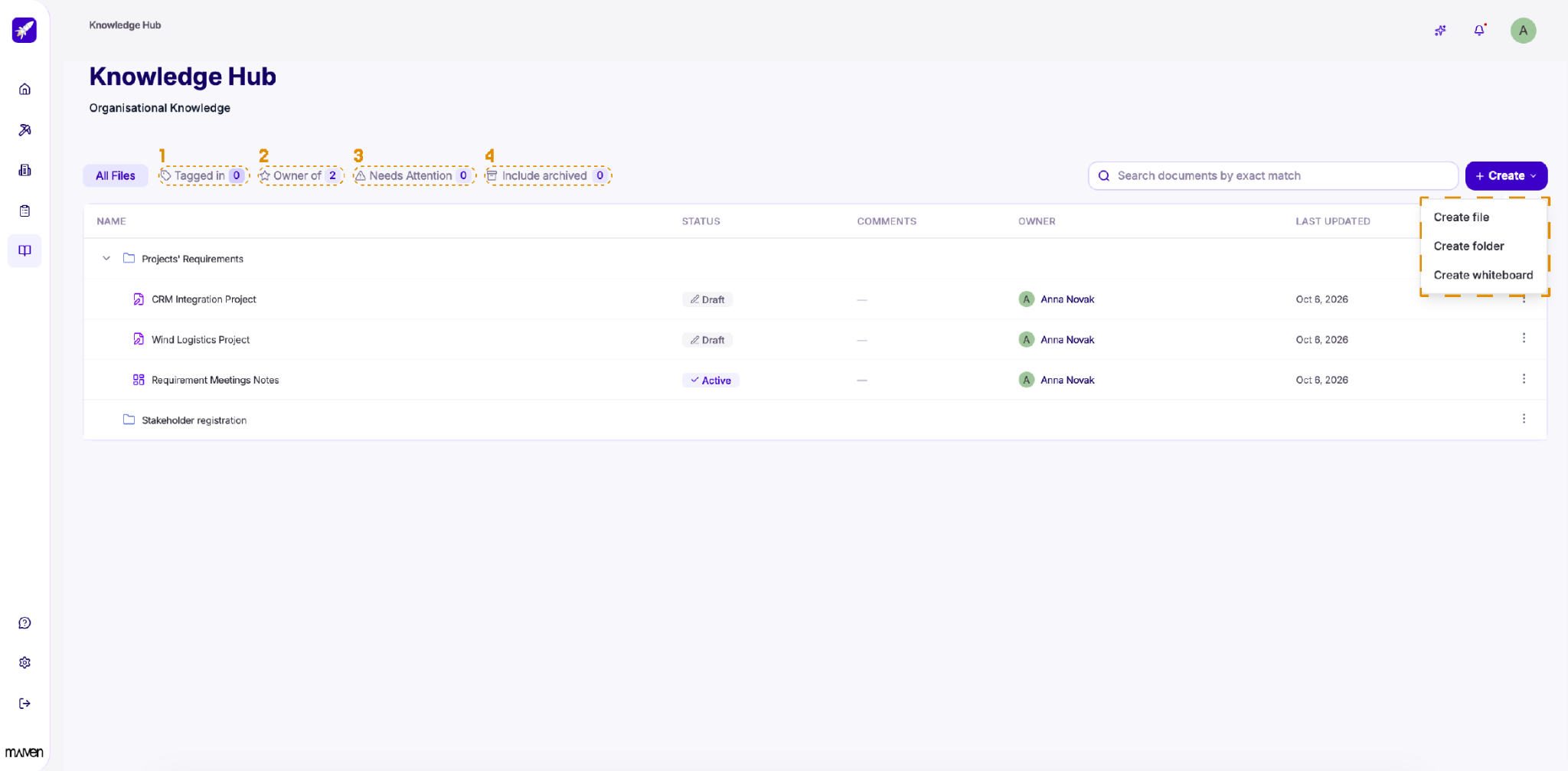
Add content. Click + Create and choose what you'd like to add:
- Create file: Add a new document to the library.
- Create folder: Organize your files into folders.
- Create whiteboard: Start a shared whiteboard for your organization.
Find what you need. Use the search field to look up documents by exact match, or use the filters at the top to narrow down the list:
All Files: See everything in the Knowledge Hub.
- Tagged in: Files you've been tagged in.
- Owner of: Files you own.
- Needs Attention: Files that need your review or action.
- Include archived: Show archived files alongside active ones.
Edit Knowledge Hub files
Click any file to open it in the editor.
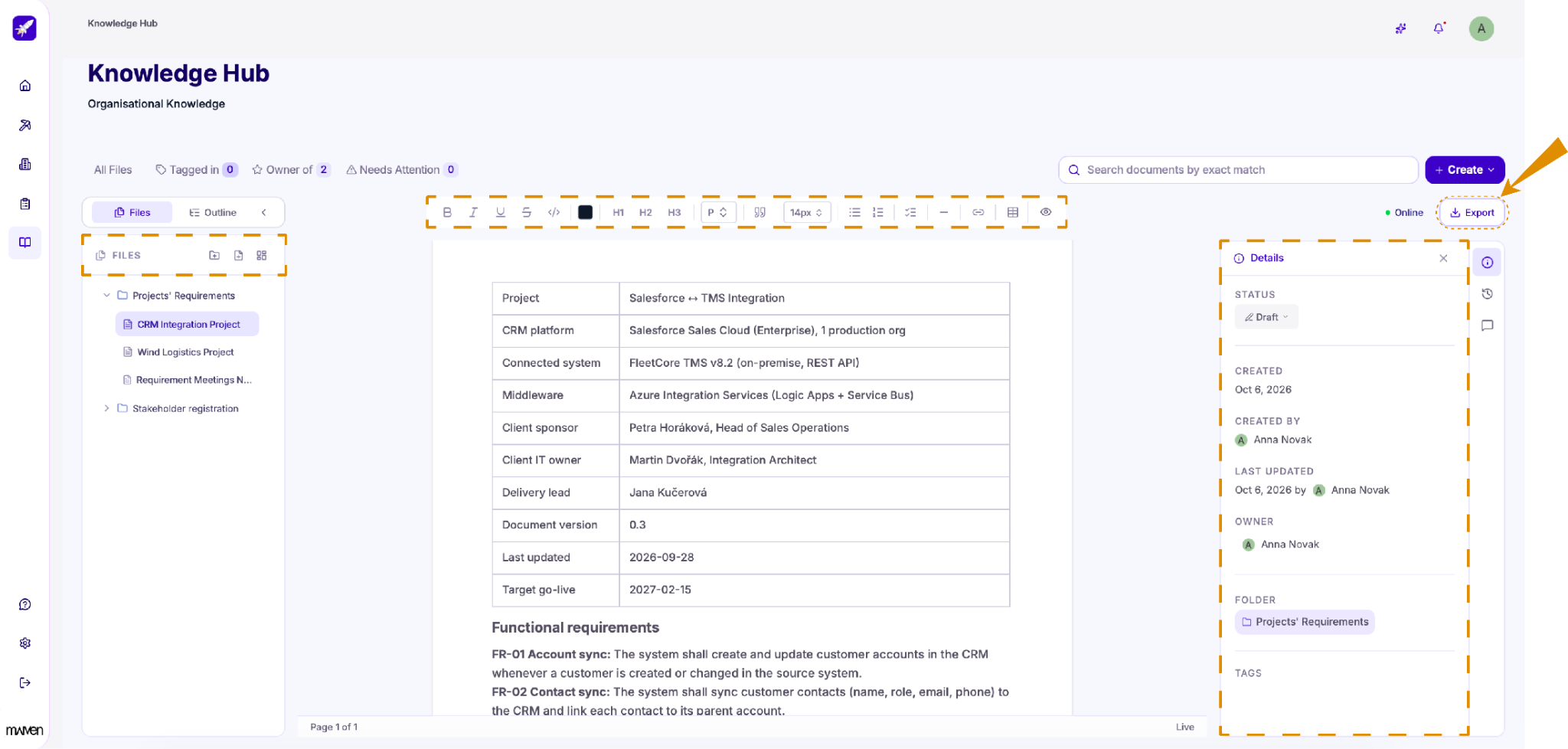
Files and outline. The panel on the left shows all your Knowledge Hub files and folders, so you can switch between them without leaving the editor. Use the icons at the top of the panel to add a new folder, file, or whiteboard. Switch to Outline to see the structure of the current file and jump to any section. You can collapse the panel to get more space for editing.
Editing. Use the toolbar above the document to format text, add headings, lists, quotes, links, and tables. Click the eye icon to preview the file as readers will see it.
Details. The panel on the right shows the file's status, when it was created and last updated, who owns it, which folder it's in, and its tags. To publish a file, change its status from Draft to Active. Only active files are treated as approved content. Use the icons next to the panel to view the file's version history or leave comments.
The Online indicator shows that your changes are saved in real time.
When the file is ready, click Export to download it.